01
The editorWrite where it shows
Select text for bold, links, lists and colour in the floating toolbar. The structure tree shows the whole letter, and blocks move with the mouse or the keyboard.
Create newsletters that look like you, send them from your own domain and see what works. Every letter is checked before it goes out – and consent, unsubscriptions and suppression lists are taken care of for you. Try it free for 5 days.
Sign in with Microsoft, Google or Qrona ID.
New workspaces are reviewed before their first mailing.

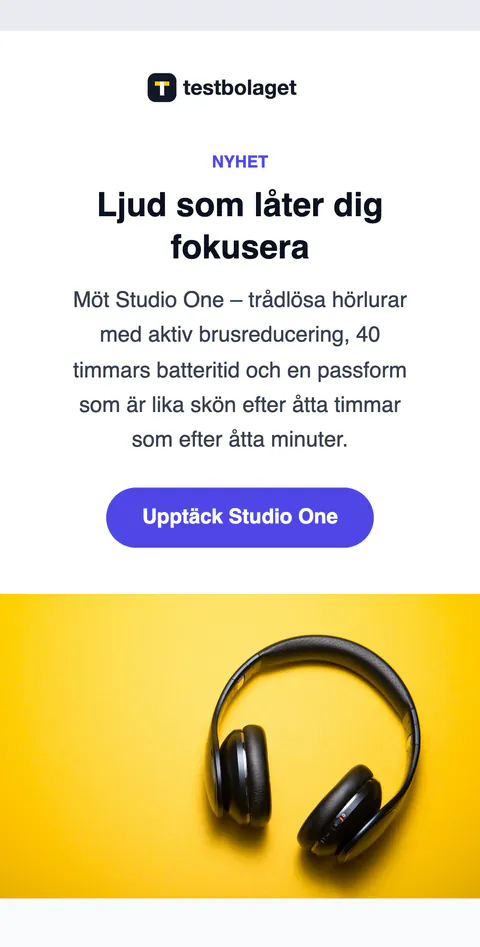
The editor and the mobile view in Qrona Newsletter. The content is an example.
Write directly in the letter, move blocks in the structure tree and start from a theme or a layout. Everything takes the workspace's colours and logo and looks good on phones and in the common email programs.

Select text for bold, links, lists and colour in the floating toolbar. The structure tree shows the whole letter, and blocks move with the mouse or the keyboard.
Themes for holidays, events, business, retail, restaurants, associations and services – the holidays in the colours of the season. Or choose a layout, code your own HTML or start from a blank page.
Bring in newsletters from other services. Tracking and personal data are cleaned out on the way, so you start fresh.
Letters go out from your own verified domain – or from a sender address at Qrona while the domain is being set up. You see exactly which DNS records are needed, and if you use Loopia they are added automatically.
See what the check looks atSPF, DKIM and DMARC in place with step-by-step help. One-click unsubscribe and bounces that are blocked automatically.
Send test emails from your Microsoft 365 or Gmail mailbox, or choose “Send a test to me”. The mailbox is only used for the test emails you send yourselves – the inbox is never read.
Deliveries, opens, clicks and unsubscriptions for every mailing and over time – and which links attract the most.

The check goes through every mailing before it can be sent. What must be fixed stops the mailing; the rest you get as tips – with a button straight to the right place.
Give version B its own subject line or its own content. A test group gets A or B, and when the measuring period is over the rest get the version with the most clicks – or opens, if you would rather measure that.
Invite reviewers who compare A and B, vote and suggest changes to the text before anything is sent. Their details are deleted 90 days after the mailing.
✓The reviewers' votes
This autumn's news is here
3 votes
New this autumn – see it all first
1 vote
Suggested change in A: Read more about the news See this autumn's news

Build landing pages for events, offers and webinars, and forms for sign-ups and surveys – at an address of their own or embedded on your website. The answers can become contacts and subscribers straight away.
Contacts with your own fields – protected Swedish personal identity numbers too – lists with double opt-in, segments and import from CSV.
Consent is shown for every address. Unsubscriptions, bounces and complaints block the address at once.
A file library with OneDrive, SharePoint, Google Drive and Dropbox – and images straight from Qlave Board.
Let every unit run its own mailings while the group keeps the overview – with roles, contact rules and shared distribution lists.
⌂Organisation
Owner, admin, editor and viewer – for one unit or everything below it. Contact rules decide which recipients a person sees and can send to.
Share contacts with your units through distribution lists. The units can see and send, but never change.
Invite the agency to a partnership. Proposals arrive as an image or a newsletter, you approve – and the statistics become the basis for invoicing.
Who did what, and when. Sign-in with Microsoft, Google or Qrona ID.

Press ⌘K (Ctrl+K on Windows) anywhere in the app and search features and help articles. The help centre covers everything from the first list to the DNS records – and if you need us, we answer at support@qrona.se.
Email supportShort guides for the things you do once and want to get right.
All guidesSee what recipients do on your website after clicking in a newsletter, and measure the visits to your landing pages and forms. How to set up Google Analytics 4 in Qrona Newsletter, step by step.
Read the guide · 7 minCreate an account and a workspace for your company. While Qrona reviews the workspace you can build lists, templates and campaigns and send test emails – after that, just send.
It is recommended, but you can start with a sender address at Qrona while the domain is being set up. Once your domain is verified, letters go out in your own name.
It sends the test emails you start yourself, to yourself or colleagues – nothing else. The app only asks for the right to send email as you and never reads your inbox, your contacts or your calendar. You can disconnect the mailbox whenever you like. Read more in the privacy policy.
Within the EU. How we process personal data is set out in the privacy policy and the terms.
Choose a plan by the number of emails per month. Extra volume costs SEK 300 per 100,000 emails. See prices and add-ons.
Choose an included monthly volume and add more when you need it. One email to one recipient counts as one message. All prices exclude VAT.
Monthly payment in advance. The agreement period and notice are confirmed in the order.
Newsletter editor and templates · Contact lists and segments · Campaign statistics · Unsubscriptions and suppressions · Inbox for replies · Roles and audit log · Email support
SEK 300 per pack of 100,000 extra emails per month. Packs are added to the subscription after confirmation. No automatic overage charges. For larger needs, choose the next plan.
Forms + landing pages replaces separate fees for forms and landing pages. A dedicated IP is optional, up to 1,280,000 emails/month; larger volumes are quoted. Custom design, your own page domain, integrations and content production are quoted separately.
Growth · 250,000 emails per month
Plan SEK 1,490 + extra volume SEK 0 + add-ons SEK 0.
Payment in advance: SEK 1,490 / month. Start and onboarding: SEK 5,000, once for new customers.
Choose and order the plan under Subscription after signing up. The trial does not turn into payment automatically.
The volume applies per organisation and calendar month (UTC) – all users in the organisation share it. Campaign emails, test emails and replies sent through the service count towards the monthly cap. Queued campaigns reserve room. Unused volume is not carried over to the next month. How much has been sent and how much is left you see under Reports.
New mailings that do not fit are stopped. Order more volume or a larger plan under Subscription. The current approved cap is shown there; an order raises the cap once Qrona has activated it.
Try the app for five days. Start and onboarding costs SEK 5,000 for new paying customers and covers setup, help with the sender domain, import of the contacts and suppressions you provide, and test sends. Sending opens after review and an agreed monthly cap.
Your confirmed agreement applies until you agree on a change with Qrona. Larger volumes and special needs are quoted separately. Contact support@qrona.se.
Create an account and a workspace for your company – or book a walkthrough, and we will show you how Qrona Newsletter fits the way you work.
Qrona Newsletter is a newsletter service for businesses by Qrona AB: design newsletters, manage subscriber lists and consent, send from your organisation's own verified domain and follow delivery and engagement. People sign in with Microsoft, Google or Qrona ID. Optionally, a user may connect their own Microsoft 365 or Gmail mailbox; the app then only uses the permission to send email on the user's behalf, and only for the test messages the user sends to themselves or colleagues. It never reads the mailbox. See the privacy policy and the terms.